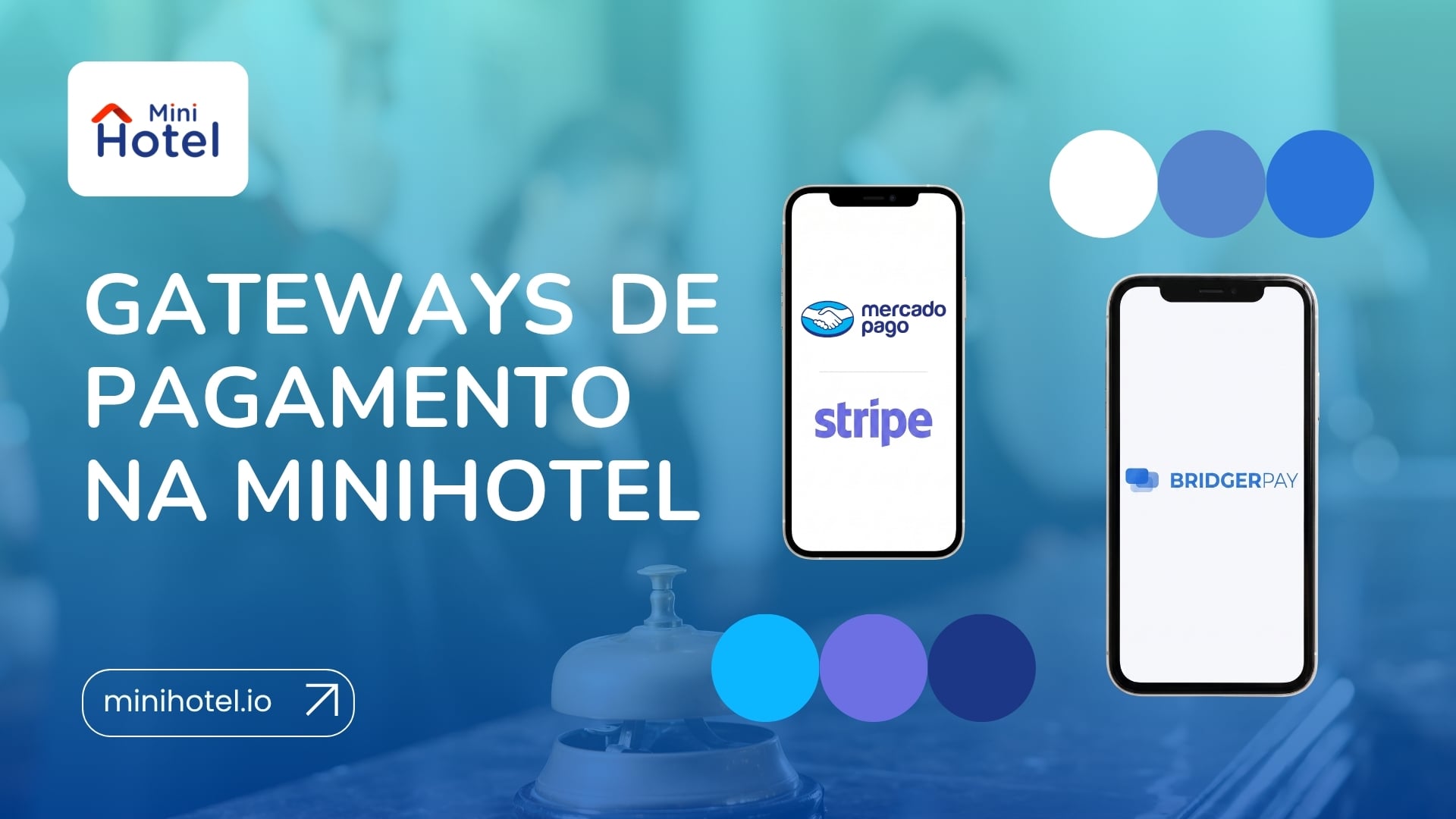
A booking without payment is not a secured sale. Online payment gateways let you charge guests the moment they book, or hold their card as a guarantee, directly from your Booking Engine. In MiniHotel, Stripe and MercadoPago are integrated at no extra cost, and through BridgerPay you can connect with more than 1,000 payment gateways worldwide.
Why online payments are no longer optional
Guests who book online expect to pay online. In Latin America, digital payments already account for around 60% of consumer spending, according to the PCMI Panorama 2025 report. A Booking Engine that doesn't let guests pay on the spot creates friction right at the moment of closing the sale.
For the property, it also makes the difference between a booking that is simply "on file" and a booking that is secured. With a payment or a card in place, guests are more committed, no-shows drop and cash flow improves.
What an online payment gateway is
It's the tool that processes the guest's payment automatically when they book through the Booking Engine. The guest enters their card details and the system processes the payment, or registers the guarantee, with no action needed from the front desk.
It shouldn't be confused with manually recording a payment, which only logs a charge made through another channel, such as a physical terminal or a bank transfer.
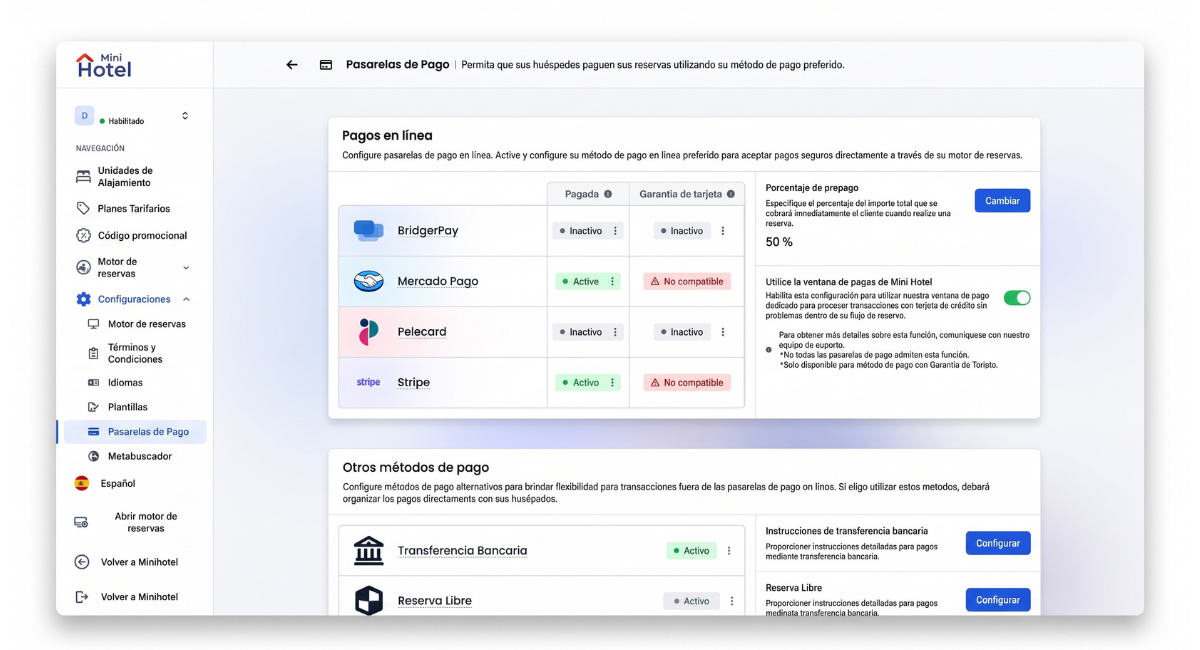
In MiniHotel, this setting is under Booking Engine → Settings → Payment Gateways.
The two payment modes: Paid and Card Guarantee
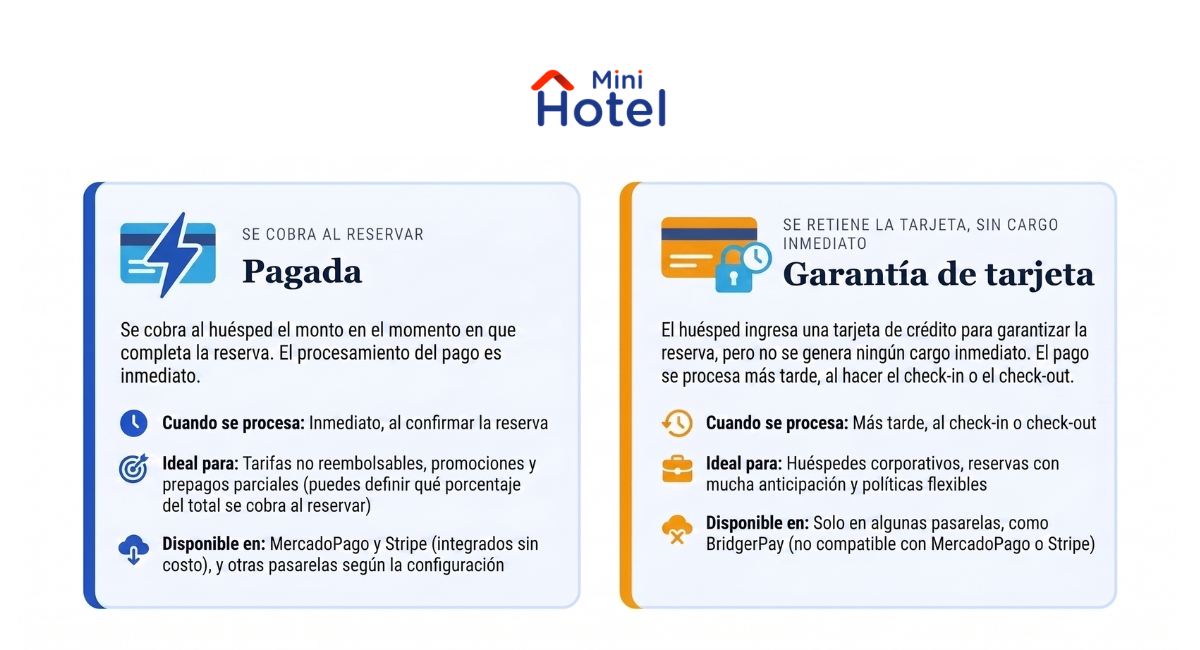
Each gateway can work in one of two modes, which define when the money is processed:
| Mode | What happens at booking | When the payment is processed |
|---|---|---|
| Paid | The guest is charged the defined amount when completing the booking | Immediately, when the booking is confirmed |
| Card Guarantee | The guest enters their card to guarantee the booking, with no immediate charge | Later, at check-in or check-out |
Not every gateway supports both modes. During setup, the system shows which one each gateway supports.
The prepayment percentage
In Paid mode, you don't have to charge 100% of the stay. You can set a prepayment percentage, for example 50% at booking and the rest at the property. It secures the guest's commitment and brings cash flow forward, without requiring full payment in advance.
How payments relate to your rates
The payment mode should match the cancellation policy of each rate. The two most common cases are:
Non-refundable rates: charge 100% at booking
With a non-refundable rate, the guest agrees not to get their money back if they cancel, in exchange for a lower price. That's why it makes sense to charge 100% at the time of booking, using Paid mode. If you don't charge in advance, the non-refundable condition only exists on paper: if the guest doesn't show up, there's nothing to keep.
Flexible rates: card guarantee or partial prepayment
With a flexible rate, the guest can cancel free of charge until a set date. Charging the full amount in advance means refunding every cancellation, so a card guarantee usually works better: it lets you apply the penalty for a no-show or a late cancellation. Another option is a partial prepayment, which secures part of the revenue without requiring the full amount.
| Rate type or situation | Suggested setup |
|---|---|
| Non-refundable rate or promotion | Paid mode at 100%, with the condition clearly communicated |
| Flexible rate | Card Guarantee, charged at check-in or check-out |
| High no-show rate or volatile demand | Paid mode with partial prepayment (for example, 30% to 50%) |
| Markets with low card usage, or groups | Online gateway + bank transfer as an alternative |
What your property gains from online payments
- Fewer no-shows: guests who have already paid show up. And if they don't, you can apply your cancellation policy.
- Earlier cash flow: you have the money before check-in, with more predictability for planning.
- Less manual work: no chasing bank transfers or recording payments by hand.
- Direct sales that compete with OTAs: your Booking Engine offers the same payment experience, without the intermediary's commission.
Stripe and MercadoPago: integrated at no extra cost
Stripe: international reach
Stripe processes payments in multiple countries and currencies. It's the natural choice when many of your guests pay with cards issued in different countries.
MercadoPago: the go-to option in Latin America
MercadoPago is the most widely used payment gateway in Latin America. It lets guests pay the way they pay every day: credit or debit card, bank transfer, account balance and other local payment methods, depending on the country.
Both are activated together with the MiniHotel support team and, once connected, payments work automatically.
BridgerPay: access to more than 1,000 gateways
BridgerPay isn't a gateway in itself: it's a payment orchestration platform that connects with more than 1,000 processors in over 185 countries, including PayPal. With a single connection point, you get access to local and international providers, with secure card tokenization.
It's the right choice if you already work with a local processor you don't want to change, if you operate in a country with very specific gateways, or if you want to combine several payment methods in the same checkout. Today, more than 215 property accounts are connected through this integration.
Other available gateways
MiniHotel also integrates with regional gateways, which may be available depending on the property's country. You can find the details of each one in the MiniHotel Marketplace, Online Payments section:
If you work with a gateway that isn't on this list, check with support: between direct integrations and BridgerPay, most cases have a solution.
The MiniHotel payment window
When enabled, card details are entered in a dedicated payment window within the booking flow itself. It's available only for Card Guarantee mode, and not every gateway supports it.
Other payment methods: bank transfer and open booking
- Bank transfer: the guest books and receives instructions to pay by bank transfer. Useful in markets where it's a common method, or for groups.
- Open booking: the booking is confirmed with no payment or card, following instructions set by the property. It's the lowest-friction option, but also the one with the least guarantee.
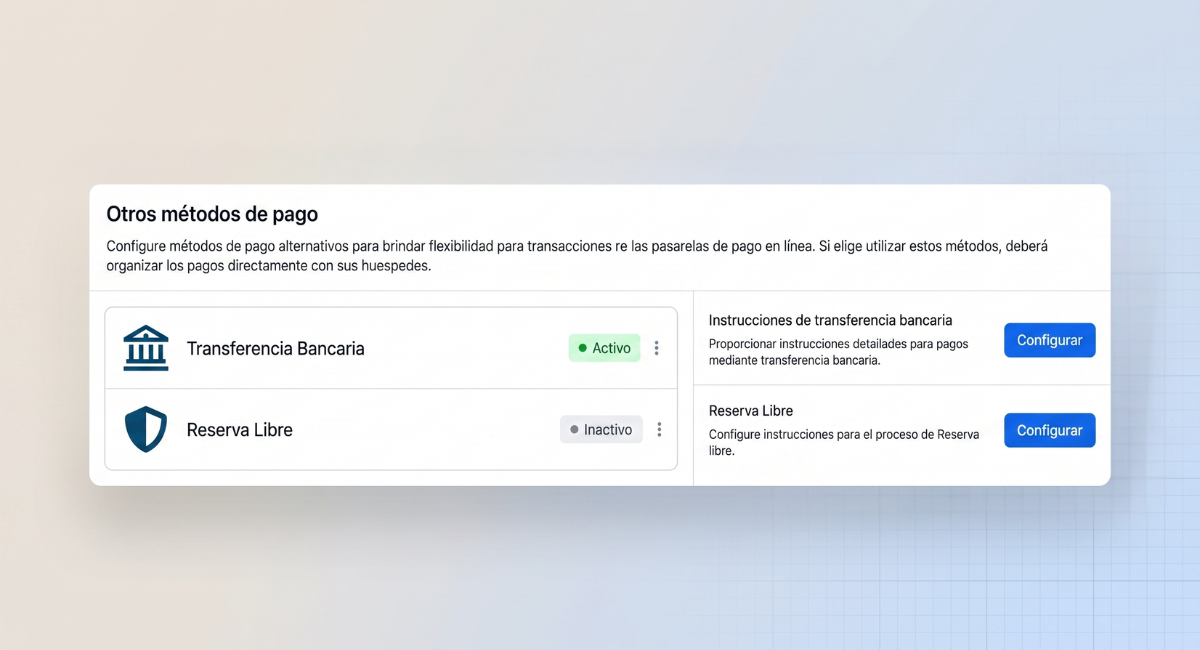
These methods can coexist with online gateways: guests choose from the options you enable.
Frequently asked questions
Can I charge guests automatically when they book?
Yes, with Paid mode: the amount is charged when the booking is completed. You can also set what percentage of the total is charged at that moment.
Can I request a card as a guarantee without charging yet?
Yes, with Card Guarantee mode: the guest registers their card when booking and the payment is processed at check-in or check-out. Not every gateway supports this mode.
Which mode works best for a non-refundable rate?
Paid mode at 100%. If the rate is non-refundable, charging the full amount at booking is what makes that condition enforceable in case of a cancellation or a no-show.
Which payment gateways can I use in Latin America?
MercadoPago and Stripe are integrated at no extra cost. Through BridgerPay, you can connect with more than 1,000 additional gateways.
Does BridgerPay have a cost?
Yes. Unlike Stripe and MercadoPago, the BridgerPay integration has an additional cost.
How do I activate a payment gateway?
Activation is coordinated with the MiniHotel support team. For MercadoPago, you generate the production credentials from the developer panel of your account and send them to support, who completes the connection.
In short
Online payments turn your Booking Engine into a complete sales channel: bookings come in paid or guaranteed, no-shows drop and the front desk stops chasing payments. With Stripe and MercadoPago integrated at no extra cost, most properties in Latin America and beyond can get started without adding new tools or costs. The first step is deciding how you want to charge for each rate; the rest is set up once.
Explore all the gateways you can connect
Browse the full list of payment gateways available in MiniHotel, from Stripe and MercadoPago to BridgerPay and regional gateways, and choose the setup that works best for your property.
See payment gateways →