Why Use Automated Guest Messaging for Short-Term Rentals?
Most of the questions a host receives are always the same. What time is check-in? How do I get there from the airport? Where are the keys? What’s the WiFi password?
Answering them manually over and over doesn’t just take time — it creates inconsistencies, delays, and a guest experience that depends entirely on the availability and mood of whoever is managing the property.
Automated messaging fixes all of that. When set up properly, it ensures guests get the right information at exactly the right moment, without anyone having to write a single word. As a side effect, it cuts down on repetitive questions, improves reviews, and significantly increases the chances of getting a five-star rating.
In this guide, we cover which messages to automate, when to send them, and share ready-to-use templates for Airbnb and Booking.com.
Why Automate Guest Communication?
A well-informed guest asks fewer questions, experiences less friction during their stay, and is far more likely to leave a positive review at the end.
The problem is that keeping every guest properly informed manually is simply not sustainable — whether you’re managing multiple properties or just one with high turnover. Automation doesn’t replace the human touch: it complements it, making sure no guest is left without a response and that the most important messages always arrive on time.
Automated guest messaging: the Full Messaging Flow, What to Send and When
1. Booking Confirmation
⏱ When: immediately after the booking is confirmed
The first message sets the tone for the entire stay. It should be warm, brief, and confirm the key details: dates, property name, and a heads-up that more information is coming before arrival.
Template
Hi [name], thank you for your booking! We’re confirming your stay at [property name] from [check-in date] to [check-out date]. A few days before your arrival, we’ll send you everything you need to make check-in smooth and easy. Feel free to reach out if you have any questions in the meantime.
2. Pre Check-In Message
⏱ When: 48 to 72 hours before arrival
This is the most important message in the entire flow. It should proactively answer every question the guest is likely to have: how to get there, how to get in, where the keys or access code are, check-in times, WiFi details, and any special instructions.
Template
Hi [name], we’re looking forward to welcoming you in [X days]! Here’s everything you need to arrive without any hassle:
📍 Address: [full address]
🕐 Check-in: from [time]
🔑 Access: [entry instructions / lockbox code / self check-in details]
📶 WiFi: network [name] / password: [password]
🅿️ Parking: [info or “not available”]
If you need to arrive earlier or have any questions, just let us know. See you soon!
🤖 AI Prompt
“Write a pre check-in message for a short-term rental in [city]. The guest arrives on [date]. Access is via a lockbox with a code. Tone should be warm and professional. Maximum 150 words.”
3. Welcome Message — Arrival Day
⏱ When: on check-in day, around midday or one hour before the check-in time
A short message confirming the property is ready and the guest can head over. It reinforces the feeling of personal attention without requiring any real effort.
Template
Hi [name], today’s the day! The property is ready for you from [time]. Just a reminder that access is [brief instructions]. If you run into any issues on arrival, message us directly at this number. Enjoy your stay!
4. Mid-Stay Check-In
⏱ When: the day after arrival, or halfway through for longer stays
A brief satisfaction check-in. The goal is to catch any issues before the guest leaves — and before they write about them in a review. It’s also an opportunity to offer extra services or simply build goodwill.
Template
Hi [name], hope you’re enjoying your stay! Is everything going well? If you need anything — extra towels, local recommendations, or anything else — don’t hesitate to reach out. We’re here to help.
🤖 AI Prompt
“Write a mid-stay check-in message for a short-term rental apartment. Friendly and non-intrusive tone. Should invite the guest to reach out if they need anything. Maximum 80 words.”
5. Pre Check-Out Message
⏱ When: the day before check-out
This message covers check-out time and departure instructions — but leads with the guest’s experience, not with a reminder that they’re leaving.
Template
Hi [name], we hope you’re making the most of your last moments at [property name]! Just a reminder that check-out is by [time]. When you leave, please [instructions: leave keys in the lockbox / turn off lights / lock the door, etc.]. If you need a late check-out, let us know today and we’ll check availability. It’s been a pleasure having you!
6. Post-Stay Message — Review Request
⏱ When: 2 to 6 hours after check-out
The best time to ask for a review is right after check-out, when the experience is still fresh. A warm, direct message performs far better than a generic one.
Template
Hi [name], thank you so much for staying with us! We hope you had a great time. If you have a moment, it would mean a lot if you could leave us a review on [Airbnb / Booking.com] — it only takes a minute and makes a real difference for us. Hope to see you again soon!
🤖 AI Prompt
“Write a post-stay message asking for a review on Airbnb. The guest stayed for 3 nights. Warm and genuine tone, not corporate. Include a brief thank-you and a direct invitation to leave a review. Maximum 100 words.”
Explore the tools that help property managers handle availability, automation and operations in our guide to
short-term rental software in 2026
Common Mistakes When automated guest messaging
Bad timing. A welcome message arriving at 3am, or a check-out reminder sent after the guest has already left, creates confusion rather than clarity. Review your send times carefully.
Messages that sound robotic. Too many unfilled placeholders, generic greetings, or text that’s obviously copied from a template will undermine any sense of warmth. At minimum, personalize the guest’s name and the property-specific details.
Too many messages. A well-spaced flow of six messages is genuinely useful. Twelve messages in three days is spam. Less is more.
Not testing the flow as a guest. Before going live, make a test booking and check that every message arrives in the right order, with the right content, at the right time.
Automate Guest Communication with AI — Directly from MiniHotel
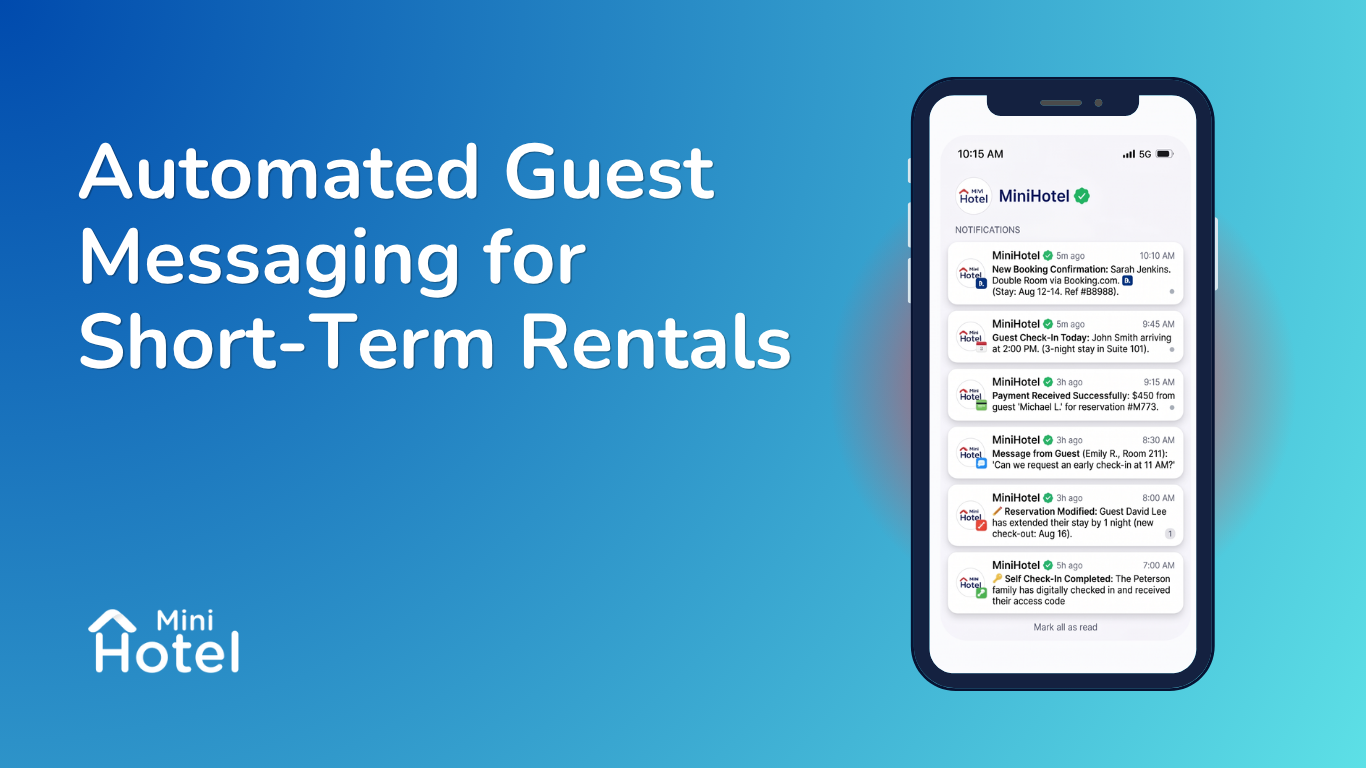
At MiniHotel, we automatically send WhatsApp notifications at the key moments of every stay — new booking, check-in, check-out, and self check-in — so guests always have the information they need without anyone having to write a thing.
Beyond that, our Marketplace includes AI-powered communication integrations that take things a step further: they respond to guest inquiries in real time, in any language, 24 hours a day, just like a real person would. Here are some of the tools available:
Automate Guest Communication with AI from MiniHotel
MiniHotel sends automated WhatsApp notifications at key moments of the stay — new booking, check-in, check-out, and self check-in — so guests always have the information they need without anyone having to manually reply.
In addition, our Marketplace includes conversational AI integrations that take communication even further: they respond to guest inquiries in real time, in multiple languages, 24/7, just like a real person. Here are some of the available tools:
Dana AI
An AI staff member that operates 24/7, seamlessly connecting guests and hotel teams. Dana manages guest communication, delivers a personalized hospitality experience, and stays fully synchronized with your operation — acting as a host, receptionist, and sales assistant all in one.
WeSpeak
Conversational AI that replies like a human via WhatsApp, 24/7, in multiple languages. Ideal for properties hosting international guests and looking to maintain smooth communication without manual effort.
Opally
An AI receptionist that handles inquiries via email, chat, and voice, fully integrated with PMS data. It answers repetitive questions, qualifies leads, and can reduce administrative workload by up to 70%.
Asksuite
AI booking assistant for websites and social media, available 24/7. Converts inquiries into direct bookings without relying on human agents.
Want to see all available integrations?
Explore the MiniHotel Marketplace and discover every AI tool you can connect to your property.
Conclusion
Automating guest communication isn’t about removing the human element — it’s about making sure no guest goes unanswered, that information arrives on time, and that hosts can focus their attention on what actually matters.
A well-configured flow of six messages can cut incoming inquiries in half, improve ratings, and significantly increase the number of reviews received. The effort of setting it up once pays off with every single booking that follows.