Since September 28, 2026, Booking.com no longer sends guest phone numbers to connected PMS and channel managers, as a measure against WhatsApp and SMS phishing. The number is still visible in the Extranet and the Pulse app, but it no longer reaches your system. Booking.com's official messaging is now the channel for contacting guests. Here is what changed, what it affects in daily operations and how to keep communicating with your guests.
What changed at Booking.com
As of September 28, 2026, Booking.com no longer includes the guest's phone number in the reservation data it sends to connected systems, such as PMS and channel managers. The change applies to new reservations and to any modifications or cancellations made after that date.
It is not a fault in your PMS or a setting you can change: it is a Booking.com decision that applies to every connected system. The rest of the reservation data keeps syncing as usual.
| Reservation data | Still reaching your PMS? |
|---|---|
| Guest name | Yes |
| Dates, rates and availability | Yes |
| Phone number on reservations made before September 28, 2026 | Yes, the stored number is kept |
| Phone number on new or modified reservations from September 28, 2026 | No |
Why Booking.com made this decision
The goal is to protect travelers from phishing. There has been a rise in scams where third parties use real reservation details to contact guests by WhatsApp or SMS and ask for a duplicate payment or a card "verification".
If the phone number does not circulate outside the platform, it is harder for that data to be used to contact guests through unofficial channels.
What it affects in daily operations
The phone number was used for specific operational tasks. Without it in the PMS, it is worth reviewing:
- Automated SMS or WhatsApp messages sent to the number received from Booking.com.
- Access codes or self check-in instructions sent by phone.
- Coordinating late arrivals or last-minute changes.
- Special requests, such as an extra bed, a cot or parking.
Where to see a Booking.com guest's phone number
The number is still available within Booking.com. In the Extranet, open the reservation and use the option to show the phone number in the reservation details. In the Pulse app, the process is similar from the reservation details.
The number does not sync with your PMS: you need to check it in Booking.com each time.
How to contact Booking.com guests without their phone number
The recommended channel is Booking.com's official messaging. There are three ways to use it:
| Option | How it works | Keep in mind |
|---|---|---|
| Booking.com Extranet | Message inbox within each reservation | Requires logging in to Booking.com separately |
| Pulse app | Messages from your phone | Useful on the go, but still a separate inbox |
| PMS with an official messaging integration | You reply from the system where you manage the reservation | Keeps the conversation together with the reservation details |
If you also receive Airbnb reservations, each platform adds its own inbox. That is where the usual problems appear: late replies, shift changes without context and guests writing in other languages.
Best practices for messaging with guests
- Send a pre-arrival message with check-in time, address and how to access the property.
- Ask for the estimated arrival time by message, without relying on a phone call.
- Prepare template replies for frequent questions: parking, late check-in, breakfast, extra bed.
- Keep everything in writing in the conversation. It serves as a reference if a complaint comes up.
- Decide who answers messages on each shift.
- Review any automations that relied on the phone number from Booking.com reservations.
MiniHotel AI messaging inbox
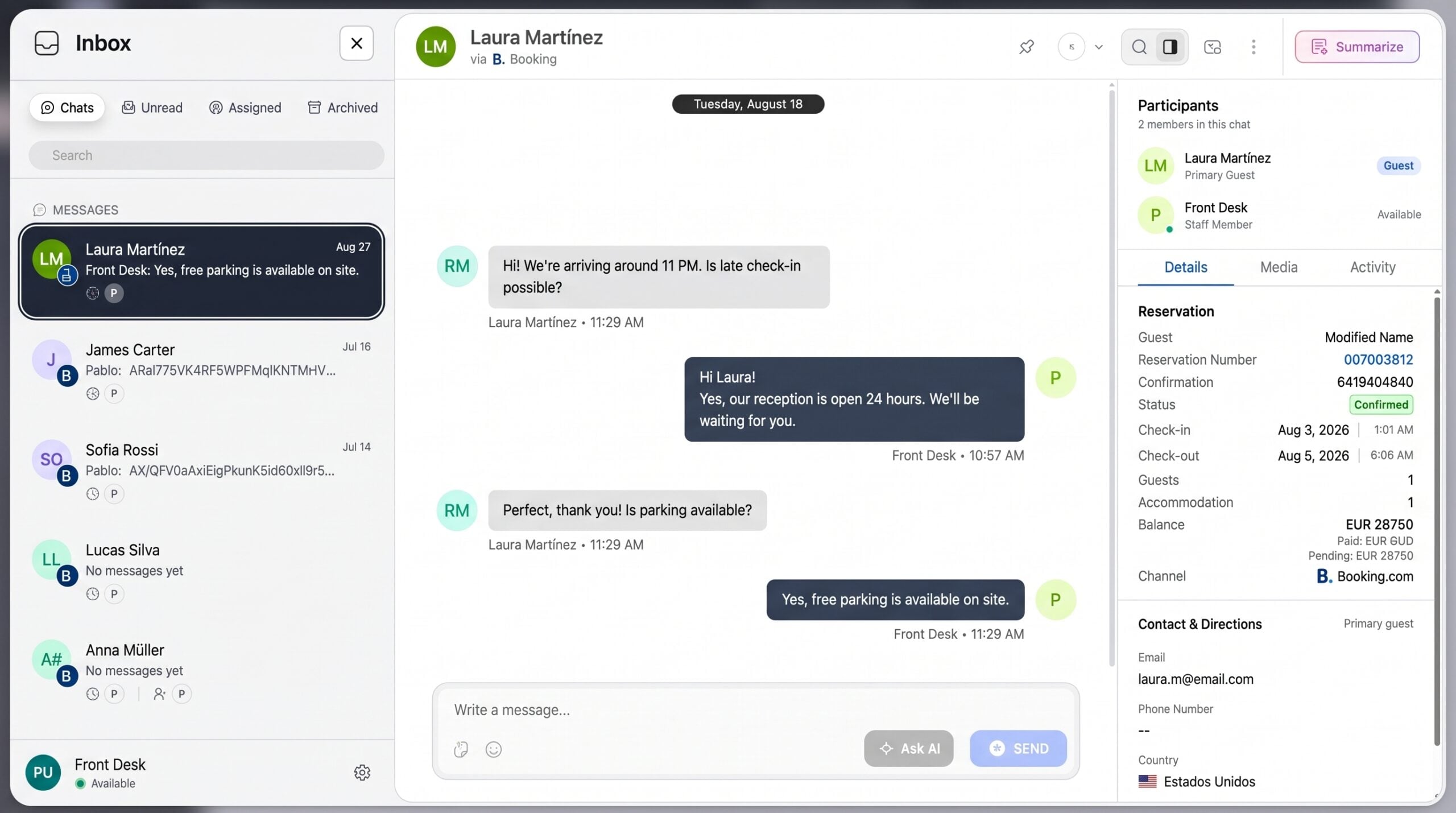
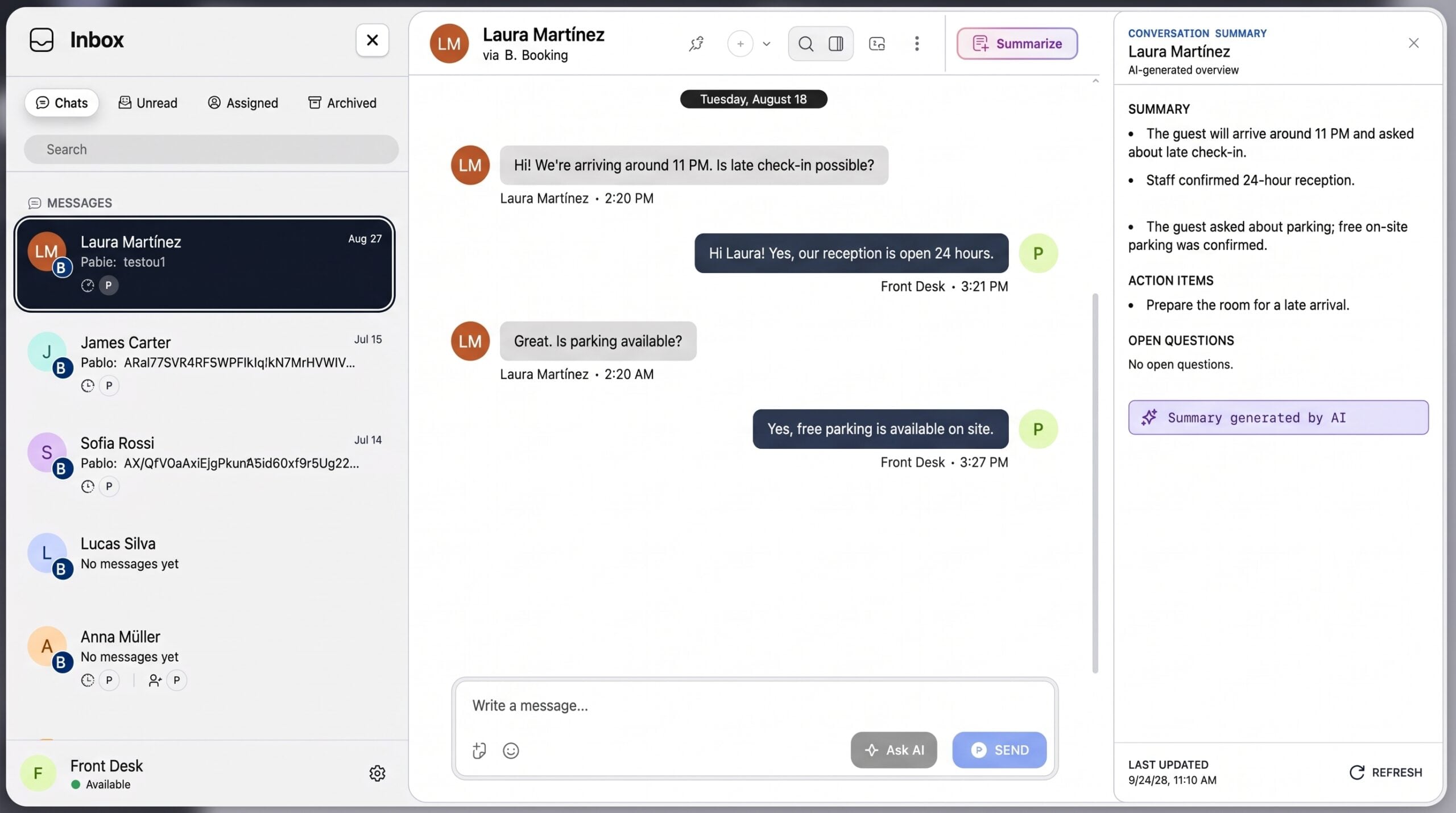
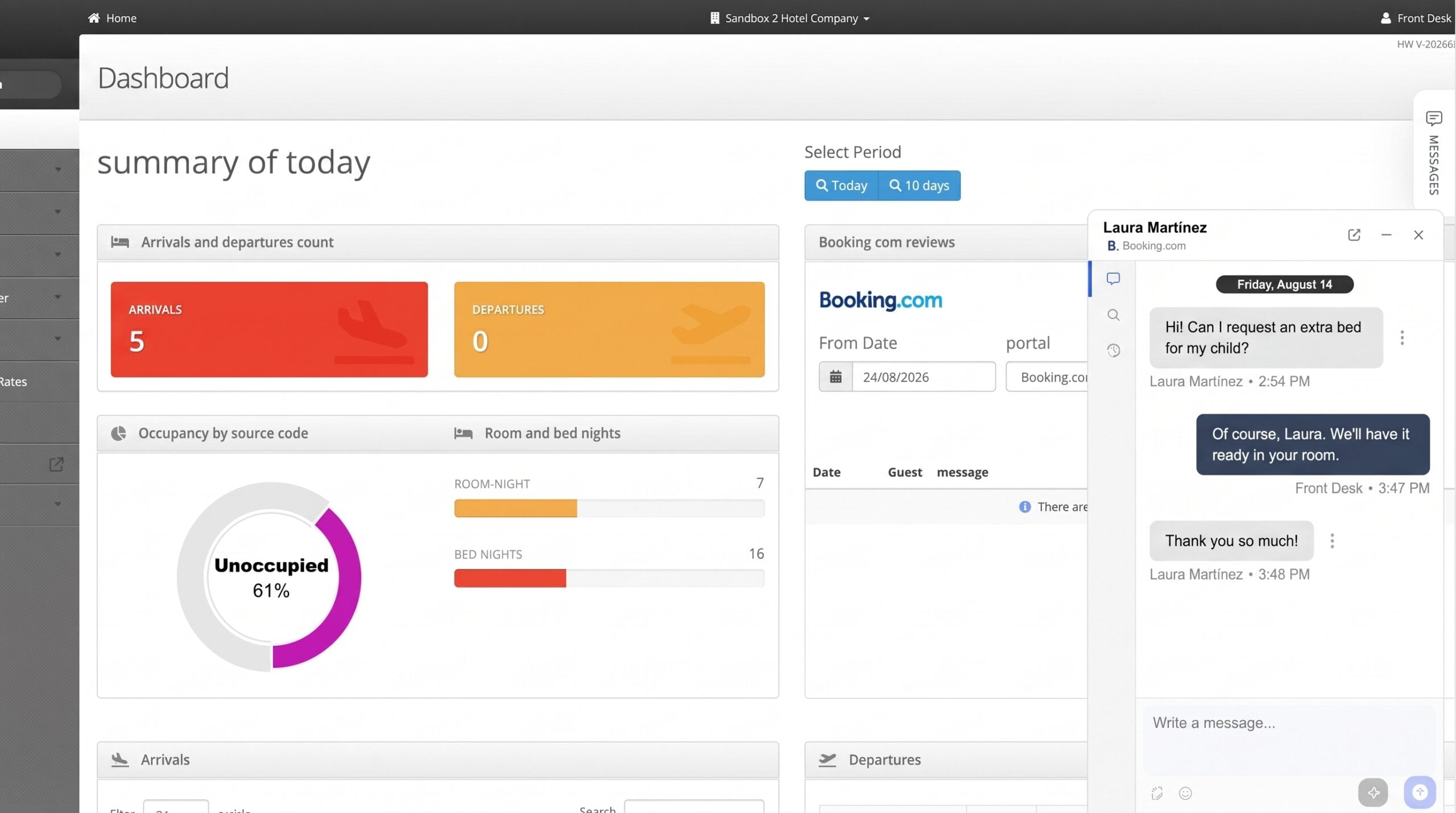
The MiniHotel AI messaging inbox brings your conversations with Booking.com and Airbnb guests into the PMS through official integrations, without needing the guest's phone number. There is no need to log in to each platform.
What it includes
Frequently asked questions
Why is the guest's phone number not showing in my PMS?
Since September 28, 2026, Booking.com no longer sends guest phone numbers to connected PMS and channel managers. It is a Booking.com change that applies to every connected system, not a fault in your PMS.
Do reservations made before September 28 lose the phone number?
No. Numbers already stored are kept. If an earlier reservation is modified after that date, the update arrives without a phone number.
Where can I see a Booking.com guest's phone number?
In the Extranet or the Pulse app, from the reservation details. The number does not sync with the PMS.
Can I still email the guest?
Booking.com keeps communication through its messaging and through the guest's masked email address, which routes messages through the platform.
Will my automated SMS or WhatsApp messages keep working?
Those that used the phone number received from Booking.com will have no number on new reservations. It is best to move those communications to the official messaging.
How do I contact a Booking.com guest without their phone number?
Through Booking.com's official messaging: from the Extranet, the Pulse app or a PMS with an official messaging integration.
Can I reply to Booking.com and Airbnb messages in one place?
Yes, with a unified inbox. The MiniHotel AI messaging inbox brings together Booking.com and Airbnb; Expedia will be added later.
Does the AI reply to guests on its own?
No. The AI summarizes conversations, helps draft and improve messages, and translates. Your team reviews and sends every reply.
In summary
Since September 28, 2026, the Booking.com guest's phone number no longer reaches your PMS. Guest communication moves to the platform's official messaging, a channel that also protects your guests from scams. The first step is to review which tasks relied on the phone number and move them to messages; the second is to centralize those conversations so you do not depend on several inboxes.
Your guest conversations, inside MiniHotel
Booking.com and Airbnb in one inbox, with AI summaries, writing assistance and translation, without needing the guest's phone number.
Get MiniHotel →