Keeping your channels in sync is the smartest way to protect your property from double bookings. Learn how real-time connectivity between your PMS, channel manager, and OTAs ensures accurate inventory, prevents revenue loss, and keeps guests satisfied.
What overbooking is and why it happens
In hospitality, overbooking occurs when the same room or accommodation unit is sold more than once. In other words, there are more bookings than real availability.
Although it may look like a simple error, it’s usually the result of small misalignments between systems that build up over time:
- Rates misconfigured or improperly “mapped” between the PMS and the OTAs.
- Restrictions (such as minimum nights or closed-to-arrival) that an OTA doesn’t interpret correctly.
- Temporary outages in the connection with a given channel.
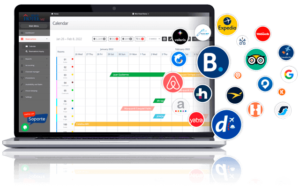
- Manual changes made directly in the Booking, Expedia or other OTA extranets, bypassing the PMS or Channel Manager.
Each of these details can cause a room to remain available in one channel when it has already been sold in another.
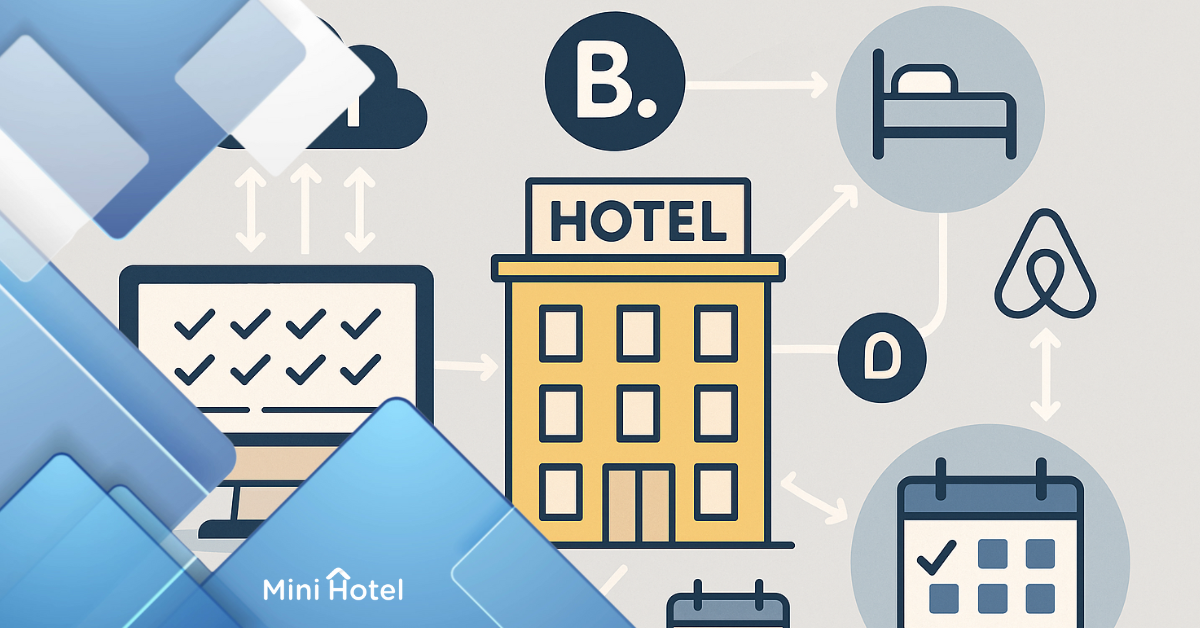
The modern way to prevent this is to operate with “pooled” inventory — that is, a single, shared stock synchronized in real time across your
PMS (Property Management System),
Channel Manager and OTAs.
The technical concept: “pooled” inventory and bidirectional sync
When we talk about “pooled” inventory (or inventory pool), we mean a single set of rooms that all channels access at the same time.
Every time a booking is confirmed — whether it comes from Booking, your website, WhatsApp or over the phone — that room is automatically deducted from the general pool. This way, availability updates across all connected channels, preventing conflicts.
For this to work, the PMS and the Channel Manager must communicate over a bidirectional API connection that sends and receives information continuously and almost instantly.
“Bidirectional” means data flows in both directions:
- The PMS pushes availability and rates to the OTAs.
- OTAs return confirmations, cancellations and modifications to the PMS.
Thus, each reservation is reflected across all channels within seconds.
Initial setup: how to start without errors
Before activating your channels, make sure to define the PMS or the Channel Manager as your “single source of truth”: all changes must be made there — never directly in the extranets.
- Map correctly every room type and every rate plan (e.g., with breakfast, non-refundable, BAR, etc.). Ensure a one-to-one (1:1) relationship between your system and each OTA.
- Include all elements: currency, taxes, cancellation policies and maximum occupancy.
- Simplify your rate structure: use a base rate and derived rates with automatic formulas (e.g., +10% with breakfast, -15% non-refundable). This reduces manual errors and keeps channels consistent.
- Load seasonal restrictions such as minimum length of stay (MLOS), closed to arrival (CTA), closed to departure (CTD) or stop sell. Not all OTAs read these rules the same way, so verify how each one handles them.
- Test before going live: make a test booking and a test cancellation to ensure stock is deducted and replenished correctly.
- Enable alerts and logs: set notifications for failed updates and keep a change log showing who modified what and when.
This first configuration may feel tedious, but once done properly it reduces the risk of overbooking to near zero.
Day-to-day operations: best practices to keep everything in sync
The key is to centralize everything in a single system. Every change you make in the PMS or Channel Manager — opening/closing dates, adjusting rates or updating policies — replicates automatically to the connected OTAs.
Avoid manual edits in Booking, Expedia or Airbnb; doing so can “break” the connection.
- If your demand is very dynamic, configure a small safety buffer (for example, sell one room fewer than your real count).
- Enable an automatic stop-sell rule when only one unit remains.
- Enter phone or direct bookings into the PMS immediately so they deduct from the pool.
- Run a quick daily check, especially on critical dates, to compare availability and restrictions across your main channels.
- Periodically verify there are no duplicate listings of the same room.
Special cases: iCal, hostels, allotments and multi-property
When a channel only supports iCal
Some simpler channels, like Airbnb or local portals, don’t offer an API integration and only connect via iCal (Internet Calendar). This means synchronization happens through calendar files (.ics) and not in real time: delays can range from 15 minutes to an hour.
Therefore, in these cases it’s advisable to:
- Reduce the booking window (for example, no more than 60 days out).
- Add a one-day safety margin between check-out and the next check-in.
- Manually review before accepting bookings on high-demand dates.
Hostels and individual beds
In hostels, the risk increases because you sell individual beds within the same room. Mapping must be per bed, and the PMS should automatically close the entire room when the last bed is sold.
Allotments or room blocks
An allotment is a block of rooms the hotel temporarily grants to an agency or channel to sell within a defined period. During that time, those rooms don’t appear in the general inventory because they’re reserved for that partner. If they aren’t sold before the release date, they return to the main pool. Therefore, they must be managed separately and with well-defined caps.
Multi-property
If you manage several hotels or locations, never mix inventories. Each property must have its own availability pool, its own mapping and its own rate rules — even if they share the same PMS.
What to track to improve synchronization
Tracking your operational metrics helps you spot issues before they affect the guest experience. Useful KPIs include:
- Pickup by channel: measures how many bookings come in and at what pace.
- Lead time: helps anticipate demand peaks.
- Update latency: the time it takes an OTA to reflect PMS changes (ideally almost instant).
- Modification and cancellation rate: shows how much your inventory moves and how long it takes to return to the pool.
Recording every incident — and its cost — helps identify bottlenecks and prevent future errors.
If an oversale still happens
It can happen even with the best systems. In that case:
- Identify the cause quickly: channel, time and reason.
- Prioritize confirmed bookings according to your internal policy.
- Offer immediate relocation to an equal or higher-category hotel, with added benefits (transfer, upgrade, breakfast, etc.).
- Communicate transparently with the guest and the OTA.
- Close with a post-mortem analysis, documenting the cause and corrective action (mapping fix, rule adjustment, or buffer).
A fast, clear response can turn a problem into a loyalty opportunity.
Do you want to operate with “pooled” inventory and real-time synchronization? MiniHotel integrates a
PMS, booking engine and channel manager so your rates, availability and restrictions stay updated across all channels.
Request a demo and get your end-to-end connectivity configured.