MiniHotel · What's new in the system
Four new features in MiniHotel: more information, better communication and more precise operation
A new occupancy report, financial placeholders in confirmation emails, individual registration cards for group bookings and shared availability in the booking engine. All available in your account.
This update brings four specific improvements to the system. Some directly impact how you manage occupancy, others how you communicate with your guests, and how you manage reservations with multiple rooms.
They don't require activation or special configuration to start using them – except for shared availability, which has its own process and we explain at the end. The rest is already available in your account.
Here's a guide to each feature: what it does, where to find it, and what situations it's useful for.
In this article
1. Occupancy Overview: Occupancy Report by Room Type
MiniHotel incorporates an occupancy panel that shows, in a single view, how many rooms you have available per room type and what the hotel's overall occupancy percentage is for each date.
The information is presented in table format, with columns by date and rows by category—Double, Triple, King, and other types you have set up—plus a row of totals and the hotel's occupancy percentage at the bottom.
Where do you find it?
You can access it from two places in the system:
- Room Map: There is a new icon in the top toolbar. Clicking it opens the Occupancy Overview panel.
- Pricing and Availabilities: Appears as a button in the row of actions, next to options such as Sync and Smart Pricing.
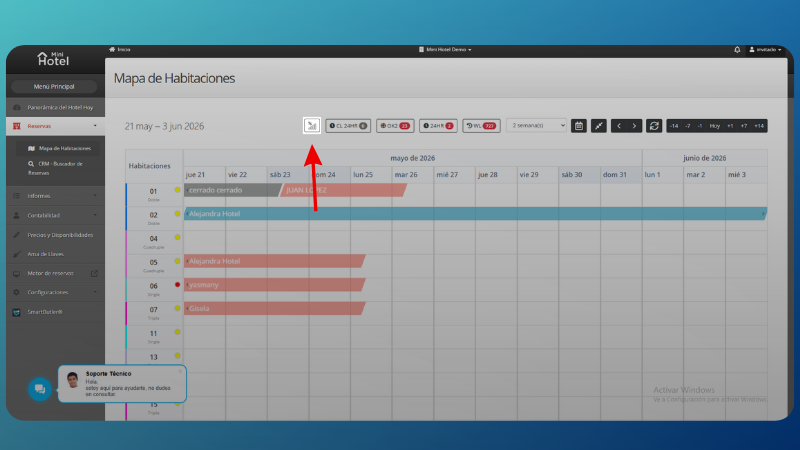
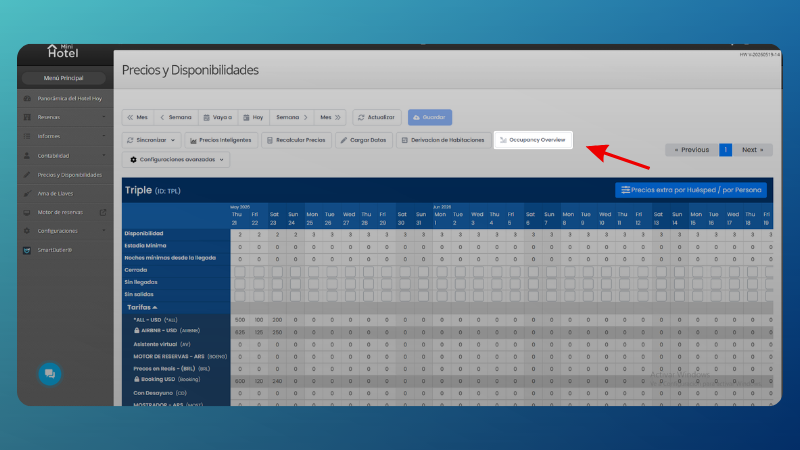
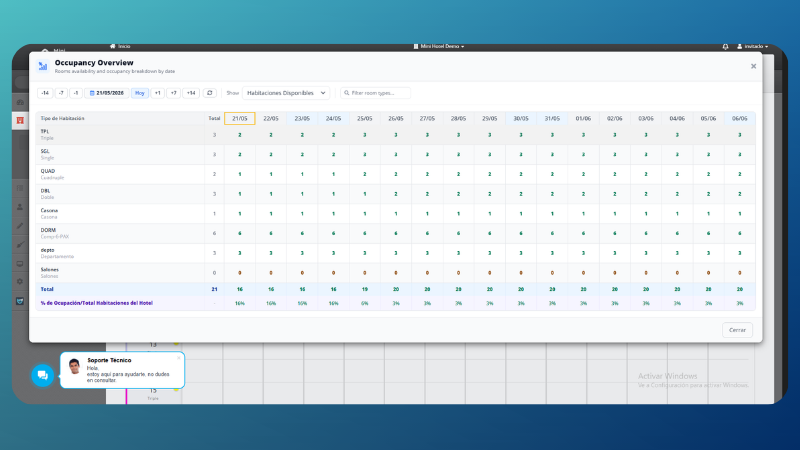
The dashboard also includes a filter to see only available rooms and a search by type, making it easy to analyze when the hotel has many categories set up.
2. New placeholders for emails
Placeholders are dynamic variables that you can insert into the system's email templates. When MiniHotel sends the email, it replaces each placeholder with the actual data of the corresponding reservation.
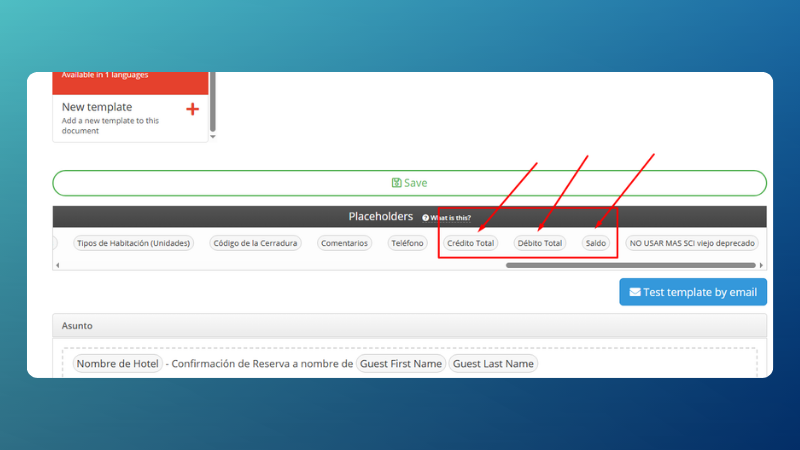
With this update, three new placeholders related to the financial situation of the reserve are added:
- Total Credit: the total credited in favor of the reservation.
- Total Debit: The total charges posted.
- Balance: the difference between the two, i.e. what the guest has pending payment.
Including this information in the confirmation email gives the guest a clear view of the status of their reservation from the first contact: how much they paid, how much they owe, and how much they have in their favor.
Where do you set them up?
The new placeholders appear in the email template editor, in the Placeholders section, along with the rest of the available variables.
3. Check-in card per room on group bookings
For bookings that include multiple rooms—groups, multi-unit families, events—each room may have different occupants with different data. Until now, the registration card was generated at the level of the general reservation.
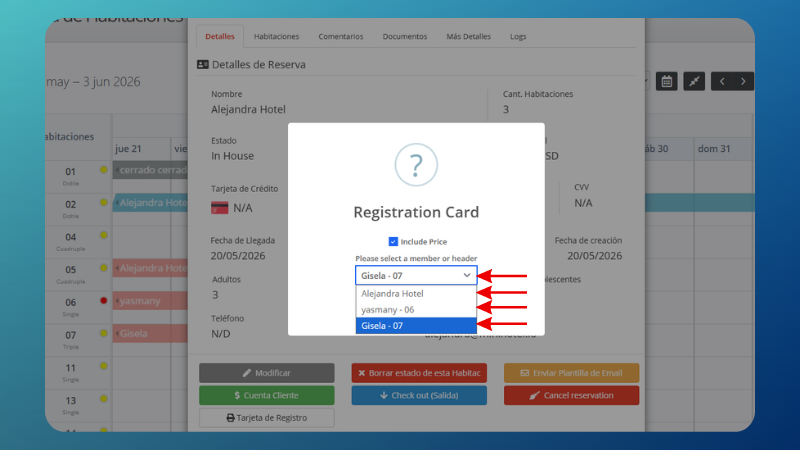
With this upgrade, you can print an individual registration card for each room included in the group booking. Each card corresponds to a specific room, with its own data.
How does it work?
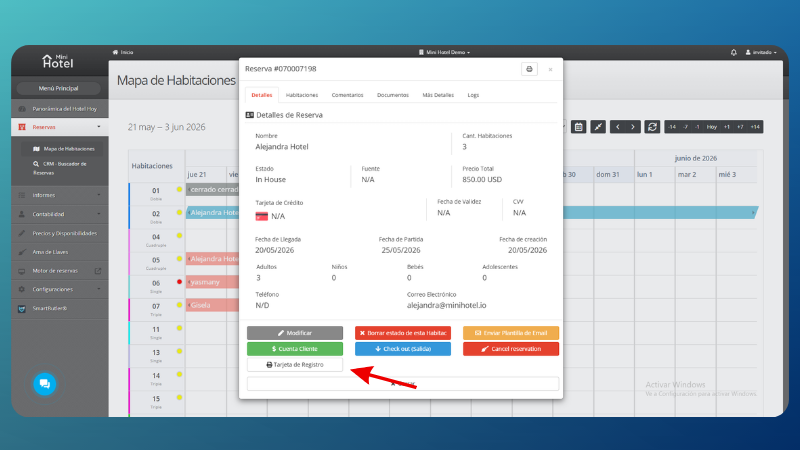
- You open the group booking from the system.
- From the actions menu, select Registration Card.
- The system displays a selector with all the rooms included in the reservation. You choose the one you need or generate one for each one.
4. Shared availability on the booking engine
This feature allows MiniHotel to display rooms in one category as belonging to another category in the online booking engine, when the first one is no longer available.
A concrete example: if all double rooms are occupied but there are still triples available, the system can offer them as doubles in the booking engine, completing the sale instead of showing without availability.
It is a tool to make better use of the inventory available in online sales, especially on dates of high demand.
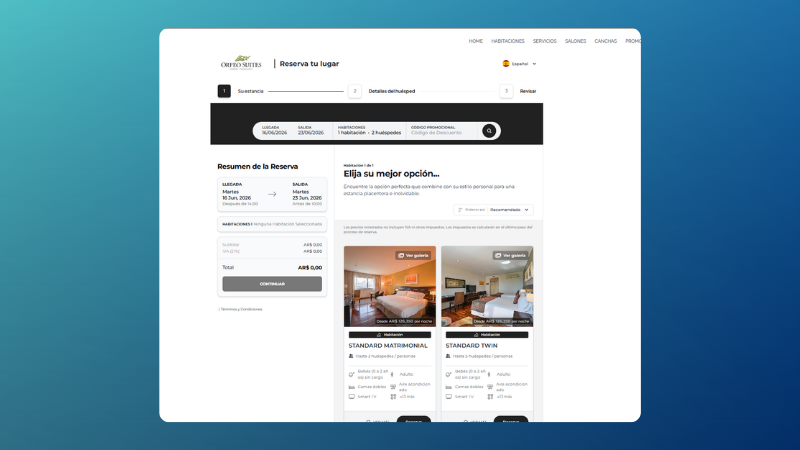
Shared availability requires one-off configuration based on each property's room structure. To activate it or check how to apply it to your case, contact the MiniHotel support team.
These features are already in your account
The Occupancy Overview, the new placeholders and the room registration card are now available to all users. You don't need to activate anything: you can start using them today.
If you have questions about any of these features or want to enable shared availability, the support team is available to help.